How to operate
Our carts are extremely easy to operate!
If you have any questions or issues please reach out to us:361-428-0303
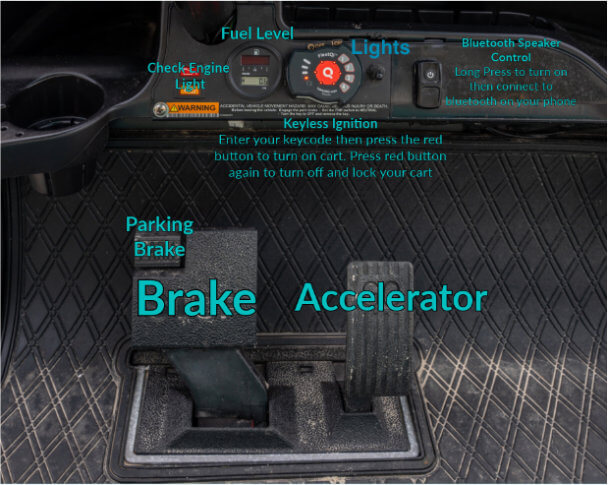
- Input your 4 digit code on the keypad located on the dash by pressing firmly.
- Press the red button after you input the code, this turns your cart on. You will not hear an engine start up. You will also press the red button to shut the cart off when not in use.
- Shift your cart into Forward drive or Reverse via the shifter located on the center body of the cart.
- Release the brake by slightly pressing the gas pedal and you’re on your way!
- Be sure to turn on the headlights from the switch on the dash when it's dark outside.
Bluetooth connection:
- Locate the black Power toggle button. (Your cart may not have one and will automatically pair)
- Hold that down until you hear a sound play through the speakers.
- Confirm that your phone's Bluetooth is powered on and "Probox Rox" or "Audio control" pops up.